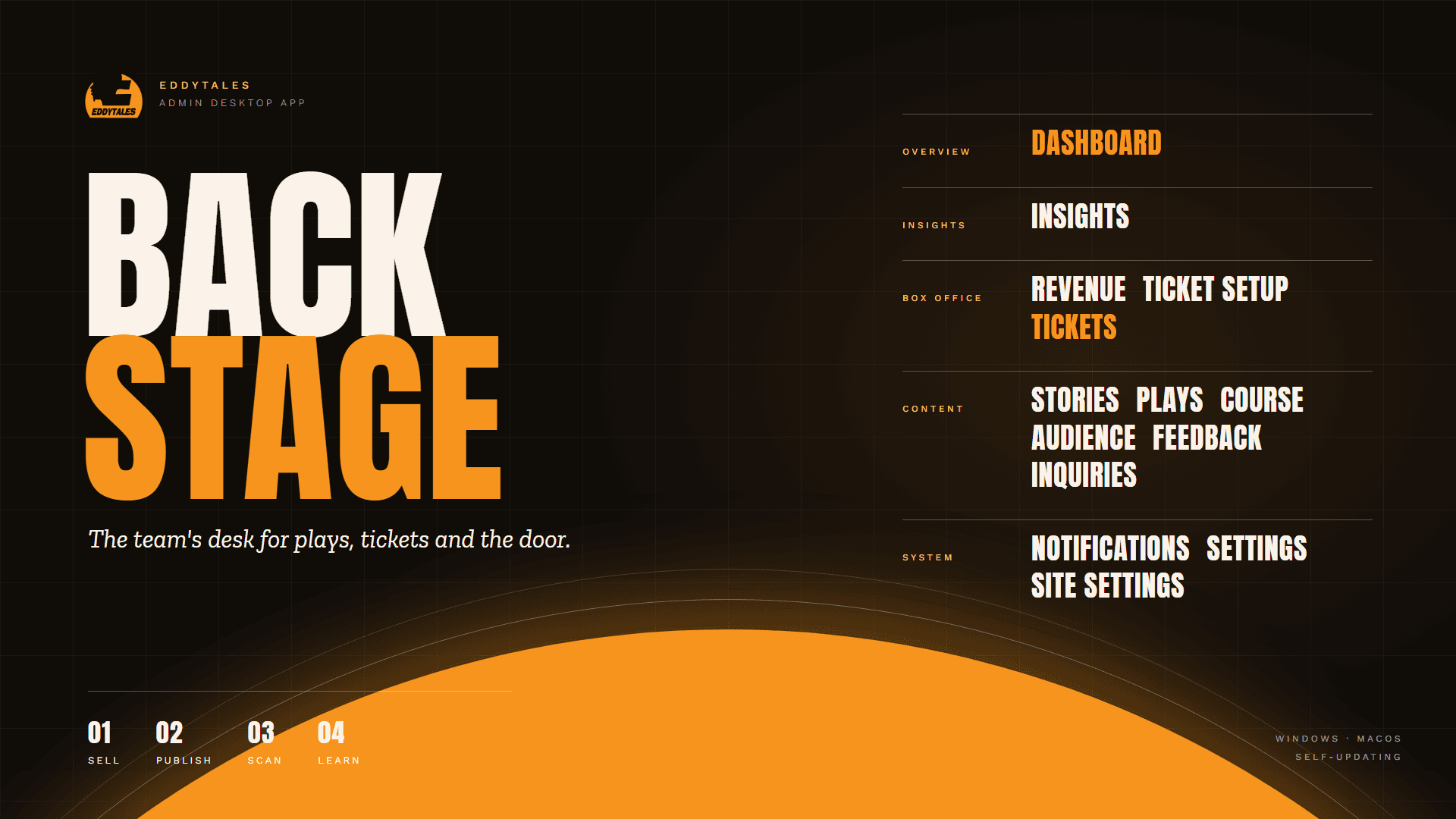
The desktop admin app for Eddytales on Windows and macOS: box office, ticket scanner, content, insights and site settings, with signed releases that update themselves.
One desktop app runs the Eddytales box office, content and door check-in without a developer.
5areas: overview, insights, box office, content, system
2platforms: Windows and macOS
30 minbetween update checks, so every desk stays current
Where they started
The website was only half the job. The team also had to run it every day, and without a tool of their own that meant:
Waiting on a developer to change a price, publish a story, add a play or refund an order.
No view of the box office. Sales, revenue and who had bought were hard to see in one place.
Slow, error-prone entry at the door, with no quick way to confirm a ticket was real and had not been used.
Scattered messages. Enquiries, feedback and payment alerts arrived in different places and were easy to miss.
No safe way to roll out fixes to the machines the team uses, so an app could be left running old versions.
What we did
We built Backstage as a focused desktop tool, laid out the way the team thinks about their work, in the Eddytales colours:
Dashboard and insights for a daily view of sales, audience and performance.
Ticket Setup, Tickets and Revenue: every play's ticket types, prices and capacity, the orders behind them, and refunds approved by the right people.
A door scanner that verifies a ticket in a moment, with the camera or a USB barcode scanner, and marks it as used.
Content tools for stories, plays and performances, the course, audience, feedback and enquiries, with images uploaded straight to Cloudinary.
Notifications on the desktop for new payments and enquiries, with counts in the sidebar.
Self-updating releases: signed installers for Windows and macOS are built automatically, and the app checks for a new version every 30 minutes and updates itself, waiting if someone is in the middle of editing.
Backstage opens on a daily overview: what sold today, what came in this week, new enquiries and the shows coming up, with the things staff do most one click away.
The sidebar groups the app by job (overview, insights, box office, content, system), so nobody has to hunt for a page.
1Four live numbersAdmissions sold today, revenue this week, new enquiries and upcoming shows.
2Check In / ScanOpens the door scanner straight from the dashboard.
3Open Check-InThe same shortcut at the top, for show nights.
4Sidebar by jobBox office, content and system tools are grouped, with unread counts on the busy ones.
Ticket Setup: one catalogue for every sales channel
Every play gets one ticket setup. Its performances, ticket types, prices and capacity are defined once here, and the website, payments, issued tickets, USSD and the box office all read from it.
That is why a price change here shows on the public ticket page without anyone touching code.
1Live countsWhat is on sale now, what launches soon and how many admissions are sold.
2Sale stateWorked out from the sale window and capacity, never typed in by hand.
3Prices
Door check-in
On show night the team opens Check-In · Scan. A ticket can be read three ways, so the door keeps moving whatever equipment is on hand:
Camera: point the device at the buyer's QR code.
Barcode scanner: a USB scanner types the code in for you.
Manual: type the ticket code if a code will not scan.
Each scan is checked against the live register, so a ticket that has already been used is caught at once, and the progress panel shows how many have come in.
1Three ways to scanCamera, USB barcode scanner or manual entry.
2Start ScanThe camera only runs while scanning, and video is never recorded.
3Check-in progress
Insights
The Insights page turns the website's own visitor data into plain numbers: visits, unique visitors, sessions and the share of sessions that reached ticket selection.
Below them, a daily chart shows when interest peaked, so the team can see which posts and announcements actually sent people to the ticket page.
1Reporting periodChoose the window to look at.
2Ticket intent rateSessions that reached ticket selection, a sign of real interest.
3EngagementTime per session, bounce rate and pages per visit.
4
Plays & Performances
Every production on the website is managed here as one record: its story, media, credits, cast, reels and gallery. The cards show each play's poster, its status (coming soon or past production), the date, how many cast and reels are filled in, and whether it is published.
Staff edit a play, remove it or open its live page from the buttons under each card.
1New playStart a production record.
2Production statusComing soon, or a past production.
3Completeness at a glanceDate, cast, reels and whether it is published.
4
Site Settings: the website, edited here
The public pages' headlines, strips, media and contact details are edited here, page by page. Changing the homepage's hero message or its featured show strip is a matter of typing and pressing Save section.
Media is chosen from the Cloudinary library, so images and video stay fast and consistent across the site.
1Page listHomepage, About, Team, Page media, Contact and socials, Announcement and SEO.
2Hero messageThe first thing visitors read on the homepage.
3Show on homepageHide the featured show strip without deleting its text.
What changed
The Eddytales team now runs the website and the box office themselves, from one app:
Prices, plays, stories and settings are changed in Backstage and show on the website without a developer.
Door staff check tickets in quickly and can tell at once if one has already been used.
Sales, revenue and audience are visible at a glance, and refunds follow an approval step.
New enquiries and payments reach the team as they happen.
Every installed copy stays current, so a fix released today reaches the team's machines within about half an hour.